Studies show that roughly 80% of home cooks max out their food processor to the brim, thinking that’s what it’s built for—but here’s the thing: that number on the box is basically a lie. Your machine’s crying for help way before it hits that limit. Want to know what actually happens when you ignore the warning signs, and how to keep your processor running strong instead of sounding like it’s plotting revenge?
Key Takeaways
- Maximum capacity on packaging is theoretical; working capacity is typically only two-thirds of that limit.
- Overfilling causes motor strain, overheating, and blade slowdown—warning signs include grinding noises and burning smells.
- Inconsistent blade contact from overstuffing produces chaotic texture: chunky pieces mixed with fine particles in same batch.
- Wet and dry ingredients require different fill levels; liquids need half capacity while dry tolerate three-quarters.
- Operating within 50–75% fill zone prevents motor burnout, ensures uniform processing, and extends appliance lifespan significantly.


The Difference Between Maximum and Working Capacity
When you’re shopping for a food processor, you’ve probably noticed those impressive numbers splashed across the box—and here’s where things get a little sneaky. That “14-cup capacity” doesn’t mean you can actually fill it to the brim and expect everything to work smoothly. Maximum capacity is just the theoretical limit, but your working capacity—that’s the real deal. You’ll want to fill it only about two-thirds full to protect motor longevity and keep those safety features functioning properly. Think about user ergonomics too; overstuffing makes the lid harder to secure and storage solutions trickier. The gap between these two numbers? That’s where manufacturers protect themselves and you protect your investment. Smart shopping means understanding this distinction. If you’re unsure how much space you need, remember that bowl capacity and size can range from mini choppers to large 11-cup processors, each suited for different cooking needs.
Why Overfilling Damages Your Motor
Because your food processor’s motor isn’t actually a superhero, it’ll start crying (metaphorically speaking) when you pile too much stuff in there. Overfilling creates serious motor strain as your machine works overtime to handle ingredients it wasn’t designed to manage. You’re basically asking a compact engine to do heavyweight lifting.
Here’s what happens when you exceed capacity:
| Problem | Consequence |
|---|---|
| Motor Strain | Burnout risk |
| Overheating Risk | Equipment failure |
| Blade Friction | Dulled performance |
| Electrical Stress | Shorter lifespan |
When motors strain, they generate excessive heat. That overheating risk isn’t just uncomfortable for your processor, it’s dangerous. The internal components start degrading faster than they should. Your motor’s warranty? Probably voided. That expensive kitchen gadget transforms into an overpriced paperweight. Respect the capacity limits, and your processor’ll reward you with years of reliable chopping, slicing, and mixing.
Just like motor power and performance with meat grinders, exceeding your food processor’s capacity can lead to permanent damage and disappointing results.
The 50-75% Rule for Optimal Processing
You’ve probably wondered why your food processor instructions keep harping on that 50-75% fill zone, and honestly, it’s not just manufacturer paranoia—it’s actually the sweet spot where your motor stays happy and your ingredients get processed evenly without turning into either chunky disappointment or over-blended mush. When you respect these fill limits, you’re not just protecting your machine’s motor from unnecessary strain; you’re also ensuring that each batch processes with consistent results, so your salsa tastes the same whether you’re making a single serving or prepping for a dinner party. Think of it like Goldilocks but for your kitchen—too little and you’re wasting time on multiple batches, too much and you’re asking for trouble, but that middle ground? That’s where the magic happens. Just like with energy-saving modes in vacuum sealers that help preserve motor life and efficiency, observing your processor’s optimal fill range is the key to long-term performance and fewer kitchen headaches.


Why Fill Limits Matter
If you’ve ever watched a food processor labor like it’s pushing a boulder uphill, you’ve probably overstuffed it—and that’s where the magic number comes in. Fill limits aren’t just suggestions; they’re guardrails protecting your machine. When you respect the 50-75% rule, you’re honoring both motor longevity and safety guidelines that manufacturers carefully established.
| Problem | Result | Solution |
|---|---|---|
| Overfilling | Motor strain | Stay within limits |
| Underfilling | Inefficient mixing | Use minimum amounts |
| Ignoring rules | Breakdown risk | Follow guidelines |
| Inconsistent texture | Poor results | Proper capacity |
| Safety hazards | Lid popping | Measured filling |
Your processor’s motor wasn’t designed for wrestling with massive food mountains. Stick to capacity limits, and you’ll keep that beast running smoothly for years. Plus, you’ll actually get better results. That’s the real win here. Just like with motor wattage range in electric deli slicers, respecting your machine’s fill capacity ensures both longevity and performance.
Consistency Across Batch Processing
The real magic happens when you’re not just filling your processor once—it’s when you’re running batch after batch and getting the same silky-smooth results every single time. That’s batch uniformity, and it’s your secret weapon.
Here’s the thing: fill your processor too full, and you’ll hit throughput variability faster than you can say “chunky salsa.” Stick to that 50-75% sweet spot, though, and something beautiful happens. Each batch processes identically. Your pesto doesn’t turn out watery one time and pasty the next.
When you honor these limits, you’re not just being cautious—you’re being smart. Consistent results mean predictable outcomes. And predictable outcomes? That’s how you become the hero of your kitchen, my friend.
For appliances like food processors and electric griddles, optimal batch size and capacity management ensure even processing or cooking results every time.
How Blade Type Affects Your Real Capacity
While you’re staring at those gleaming blades in your food processor’s manual, here’s something nobody really talks about: not all blades are created equal, and that little detail dramatically changes how much stuff you can actually cram in there. Serrated discs? They’re brutal choppers that pulverize everything, so you’ll need less food to achieve your desired texture. Offset blades, on the other hand, work more gently, meaning you might squeeze in slightly more without creating mush. The blade design determines how efficiently your processor handles volume. A standard S-blade might handle twelve ounces of nuts, but serrated discs could max out at nine. Understanding your specific blade type helps you stop guessing and start maximizing every single batch.
The Hidden Cost of Uneven Chopping
When your food processor’s blades aren’t making consistent contact with everything inside, you’re gonna notice some pieces chopped fine while others stay chunky—and that’s just the beginning of your troubles. The real problem? Your texture quality takes a nosedive, your processing speed gets all wonky, and suddenly you’re standing there wondering why your salsa looks like it came from two different recipes. It’s the hidden tax you pay for overstuffing or using the wrong blade setup, turning what should be a quick chop into a frustrating guessing game.
Blade Contact Inconsistencies
Ever notice how your food processor seems to have a mind of its own when you’re trying to chop vegetables? Yeah, that’s probably blade contact inconsistencies at work. When your machine’s blades don’t sit perfectly centered, you get blade misalignment that creates contact gaps between the cutting edges and your food. Some pieces get pulverized while others barely get nicked. It’s frustrating, right?
Here’s the thing: those tiny contact gaps mean uneven chopping every single time. Your carrots become a weird mix of chunks and mush. The problem gets worse when you’re working near capacity because crowded food shifts around more, making contact even more unreliable. You’ll notice it especially with softer ingredients that get smooshed instead of cut cleanly.
Understanding this quirk helps you work smarter with your processor.


Texture Quality Degradation
Because those blade contact inconsistencies we talked about don’t just mess with your chopping—they’re quietly sabotaging your food’s texture in ways you probably haven’t even realized. When your processor’s blades don’t hit everything evenly, you’re creating a chaotic mix of chunk sizes. Some pieces get pulverized while others barely get nicked. That’s particle clumping at its finest, and it’s a texture nightmare. Your salsa becomes watery soup with random veggie boulders. Your nut butter turns grainy and disappointing. Plus, uneven contact forces blade dulling faster than it should, which only makes things worse over time. You’re not just fighting inconsistent results anymore—you’re battling the deteriorating performance of your machine itself. It’s frustrating, really.
Processing Speed Variations
Your food processor’s uneven chopping doesn’t just wreck the texture of what you’re making—it’s also playing havoc with how fast the whole operation actually runs. Here’s the thing: speed variance is real, and it’s sneaky. When your motor’s humming along unevenly, it’s struggling. You’ll notice thermal throttling kicking in as your machine works overtime compensating for inconsistent results. That means slower performance, shorter bursts before it needs a break. Your feed rate suffers too. You can’t just dump everything in and walk away like you hoped. Instead, you’re constantly adjusting, pausing, monitoring. The motor’s basically throwing a tantrum. What should take two minutes now takes five because your processor’s fighting against its own limitations. It’s frustrating, honestly.
Processing Wet vs. Dry Ingredients at Different Levels
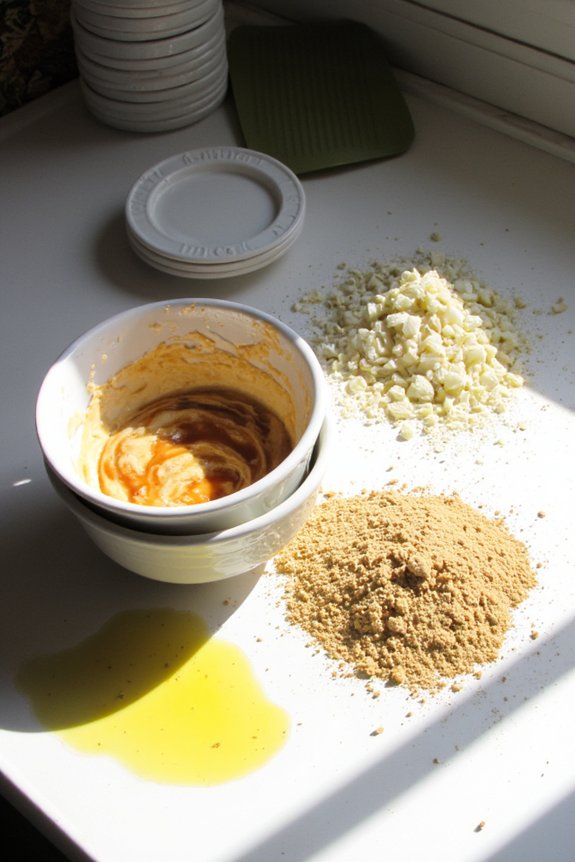
When you’re loading up your food processor, here’s the thing—wet and dry ingredients don’t play by the same rules. You’ll quickly discover that moisture pooling happens faster than you’d expect, and wet clumping can totally derail your recipe. Here’s what you need to know:
- Fill your bowl only halfway when processing liquidy stuff like sauces or batters
- Dry ingredients can actually handle three-quarters capacity without major issues
- Always pulse wet mixtures instead of running continuous mode to prevent splashing disasters
The real secret? Don’t mix wet and dry at the same fill level. Your food processor’s got limits, and respecting them saves you from watery messes. Think of it like this: wet ingredients demand more breathing room than their drier counterparts, so adjust accordingly and you’ll nail it every time.
Pulsing Techniques to Work Within Your Limits
Mastering the pulse function is where things really get interesting, because it’s honestly the MVP of staying within your processor’s limits. You’ll want to nail your pulse timing so you’re not just creating soup from solid ingredients. Here’s the trick: short bursts, then pause. This gives your motor rest between pulses, preventing overheating and burnout. Layer your ingredients strategically in the bowl—this bowl layering technique lets you process everything without jamming the whole mess together at once. Start with harder stuff, work your way to softer items. Your pulse button becomes a precision tool for chunk control, keeping pieces uniform without obliterating them into oblivion. It’s basicly the difference between minced and murdered, ya know?
Batch Processing: When One Load Isn’t Enough
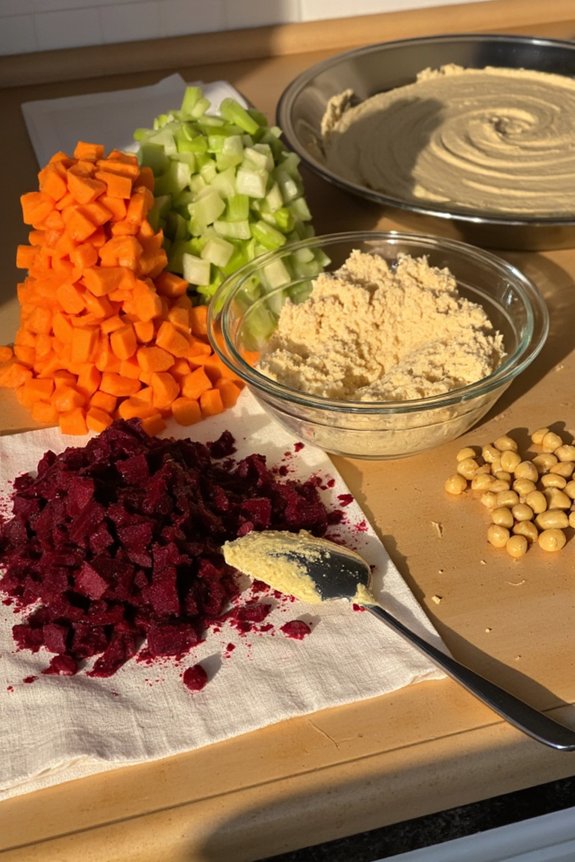
Even if you’ve perfected your pulsing technique, there’ll come a time when your food processor just can’t handle the volume you’re throwing at it—and that’s where batch processing saves the day. You’ll need a smart batch sequencing strategy that respects your machine’s limits while keeping momentum going.
Here’s your game plan:
- Split ingredients into manageable portions before you start mixing anything together.
- Process in logical order, starting with harder ingredients that require more power.
- Use load balancing to keep your processor from straining by distributing weight evenly across batches.
Think of it like assembly-line cooking. You’re not fighting your machine’s capacity; you’re working with it. Sure, it takes extra time, but you’ll actually get better results because each batch recieves proper attention. Your processor stays happy. You stay sane.
Signs Your Food Processor Is Being Overworked
Your food processor’s got a breaking point, and it’ll let you know—sometimes loudly—when you’re pushing past it. Pay attention to these red flags before your trusty kitchen pal throws in the towel.
| Warning Sign | What It Means |
|---|---|
| Unusual grinding noise | Motor strain is building up |
| Burning smell | Overheating indicators are flashing |
| Blade slowdown | You’ve exceeded capacity |
When your processor starts making sounds like a angry robot, that’s motor strain talking. Your machine’s basically screaming, “Hey, I can’t handle this!” Overheating indicators might show up as that telltale burning smell wafting from the motor housing. The blades might move slower too, struggling through dense ingredients. Don’t ignore these signals. Your food processor isn’t being dramatic—it’s genuinely struggling. Respect its limits, and it’ll reward you with years of reliable chopping, blending, and mixing.
Frequently Asked Questions
Can I Use My Food Processor for Hot Ingredients Without Damaging Internal Components?
You shouldn’t use your food processor with hot liquids or ingredients. Steam exposure can damage seals, warp plastic components, and harm the motor. Always let food cool completely before processing to protect internal parts from heat damage.
Does Processor Bowl Material Affect Actual Capacity or Processing Efficiency?
Your bowl’s material doesn’t change capacity, but it affects efficiency. Ceramic durability resists staining, while stainless conductivity distributes heat better, improving processing speed and consistency without altering actual volume.
How Do I Know When to Replace Worn Blades for Better Capacity Management?
You’ll notice chopped vegetables taking longer to process uniformly. When you’re experiencing blade wear and capacity decline, check your service interval—typically yearly. Dull blades reduce cutting efficiency markedly, so replace them when processing takes noticeably longer than before.
What’s the Relationship Between Feed Tube Size and Effective Processing Capacity?
Your feed tube size directly limits how much you can process per cycle. Larger chute diameter optimization lets you fit bigger food pieces, while feed tube ergonomics guarantee you’re not bottlenecking your processor’s actual blade capacity.
Can Stacking Ingredients Differently in the Bowl Increase Usable Capacity Safely?
You’ll dramatically pack twice the ingredients if you’re strategic with vertical loading, but don’t exceed the max line—that’s where the layering technique stops working safely and your processor starts choking.
Conclusion
So here’s the thing: you’re probably gonna ruin your food processor if you keep maxing it out. Your motor’s basically screaming for mercy. Stick with that 50–75% sweet spot, pulse instead of blast, and you’ll actually get consistent results without angry grinding noises at midnight. Take it from Sarah, who learned the hard way when her $200 processor died after three months of overstuffed smoothie batches. Don’t be Sarah.


