Imagine this: your nut butter maker’s housing is practically radiating heat, the motor’s slowing down, and there’s that telltale burnt smell creeping through your kitchen. Not fun, right? You’ve got a problem brewing. But here’s the thing—it’s totally fixable, and we’re about to walk you through exactly what’s happening inside that machine and why it’s throwing a fit. Stick around because the solutions are simpler than you’d think.
Key Takeaways
- Recognize overheating signs: Excessive heat, grinding noises, burning smells, and slowed motor speed indicate immediate safety concerns requiring shutdown.
- Common causes include: Worn bearings, dull blades, high ingredient viscosity, continuous operation, and high ambient temperatures increasing motor workload.
- Implement preventive measures: Maintain sharp blades, use appropriate batch sizes, incorporate cool-down breaks, and avoid maximum-speed startup to reduce strain.
- Perform regular maintenance: Check blade alignment monthly, replace gaskets annually, clean residues weekly, and ensure proper airflow around the unit.
- Consider upgrade if needed: More powerful motor models provide higher torque and smoother grinding for tougher nuts and larger batches with improved reliability.
Understanding Motor Overheating in Nut Butter Makers
When your nut butter maker starts sounding like it’s auditioning for a heavy metal concert, you’ve probably got an overheating motor on your hands. Here’s the thing: motors aren’t supposed to sound like they’re staging a rock show. If you’re noticing excessive heat or strange noises, it’s time for some motor diagnostics. Check for bearing wear, which often causes friction and heat buildup. You can perform vibration analysis by simply placing your hand near the device—does it feel like an earthquake? That’s not normal. Thermal profiling helps identify hot spots, revealing where exactly things are getting toasty. Don’t ignore these warning signs. A little preventive maintenance now saves you from a totally fried motor later. Your butter-making dreams depend on it! To reduce the risk of overheating, make sure your nut butter maker’s motor power and performance matches your intended usage, as underpowered motors are more likely to overheat during heavy tasks.
Common Causes of Excessive Heat and Friction
As it turns out, your nut butter maker’s got a few common culprits lurking inside that can turn it into a heat-generating machine. First up? Dull blades. When your blades lose their sharpness, they’ve gotta work way harder to pulverize those nuts, creating more friction and heat in the process. It’s like trying to cut butter with a fork—inefficient and exhausting.
Then there’s ingredient viscosity. Thicker, oilier nuts like macadamias or peanuts generate serious heat during processing. Add in old or low-quality ingredients, and you’re asking for trouble. Your motor’s basically wrestling with chunky, resistant material.
Don’t forget about continuous running, either. Running your machine non-stop without breaks? That’s a recipe for overheating disaster. Give it a breather between batches, and you’ll keep things cooler and your motor happier.
A well-maintained motor power and performance can also make a big difference, since a strong motor and sharp blades help prevent stalling and overheating when grinding tough ingredients.
How to Recognize Warning Signs Before Shutdown
Your nut butter maker’s gonna start throwing you some pretty obvious signals before it decides to go full meltdown mode. First, listen closely for unusual motor noise—a grinding sound or high-pitched whining means something’s seriously wrong. You’ll also notice tactile vibration that feels way more intense than normal, like your machine’s having a little seizure on the counter. The housing gets hot to the touch, almost uncomfortably so. You might smell something funky too, like burning plastic or rubber. The motor’ll slow down even when you’re pushing creamy peanut butter through it. Don’t ignore these red flags! They’re your machine basically screaming “help me!” If you catch these warning signs early, you can unplug and investigate before permanent damage happens. Using a high-powered immersion blender is recommended for nut butters because robust motors handle thick, dense ingredients more reliably and help prevent overheating.
Immediate Steps to Take When Your Motor Overheats
When your nut butter maker starts sounding like an angry robot and you smell that telltale burnt-motor funk, it’s time to hit the brakes—literally unplug that thing and let it cool down before it decides to take an early retirement. You’ll want to give it a solid 15 to 20 minutes of rest, resisting the urge to immediately pop the lid off and poke around inside (your fingers’ll thank you later). Once it’s cooled, run through a quick safety check: inspect the motor vents for any blockages, feel the machine’s exterior to assure it’s actually cooling evenly, and verify that nothing’s jammed or smoking before you even think about firing it back up. If your machine has a recommended warranty length, make sure you know the details, as some warranties can signal better durability and may cover repairs if overheating persists.
Stop Processing Immediately
The moment you smell that distinctive burnt plastic aroma or notice your nut butter maker’s motor starting to sound like an angry robot, it’s time to hit the brakes—literally. Turn that baby off right now. Don’t wait. Don’t finish that last batch. Stop processing immediately, and unplug the machine from the wall. Your motor’s screaming for mercy, and overload detection systems exist for a reason—they’re trying to save your investment. Let everything cool down completely before investigating further. Seriously, patience here pays dividends. Rushing to restart risks permanent damage and could jeopardize warranty claims if you’ve gotta file one later. Give it at least thirty minutes to chill out. Think of it like letting an athlete catch their breath after sprinting. Your nut butter maker needs that recovery time too. Remember, higher wattage motors in kitchen appliances are designed to handle more stress, but even they can overheat if pushed too far, so regular cooldowns are key.
Cool Down Procedures
Once you’ve unplugged that beast, resist the urge to touch anything—seriously, it’s hot enough to fry an egg on the motor housing. Let it chill for at least thirty minutes before you even think about inspecting it. Don’t dump it in water or blast it with a fan like some kind of desperate cooling experiment. Instead, place your nut butter maker in a well-ventilated area where ambient ventilation can work its magic naturally. Remove any insulating wraps or covers surrounding the motor, allowing heat to escape freely. Position it away from direct sunlight and other heat sources. Your patience here prevents permanent damage. Once it’s completely cool to the touch, you can safely examine what caused the overheating. Remember, rushing this step might mean replacing your entire motor, and that ain’t cheap.
Safety Check Protocol
If your motor’s smoking like a barbecue gone wrong, you’ve got seconds to act—and I mean seconds. Unplug that beast immediately. Don’t mess around. Your user training should’ve covered this, but let’s be real: emergency procedures save lives and machines.
| Action | Timeline |
|---|---|
| Unplug immediately | Now |
| Let cool for 30 mins | Right after |
| Check for damage | When safe |
Next, give it breathing room. Move it away from anything flammable. Open windows if you’re indoors because yeah, that smell’s nasty. Once you’ve waited thirty minutes, inspect the motor for visible damage, melted wiring, or burnt components. Don’t touch hot parts—seriously, that’s how you get hurt. If something looks singed or melted, don’t restart it. Call a pro instead. Your fingers’ll thank you later.
Optimizing Batch Sizes for Better Motor Performance
Getting your nut butter maker to stop throwing a tantrum means you’ve gotta think smart about how much you’re stuffing into each batch. Here’s the thing: cramming your machine full is like asking a hamster to run a marathon. It won’t end well.
Proper batch sizing is your secret weapon for energy efficiency and motor longevity. Start smaller than you think you need to. You’d be shocked how much smoother your machine runs when you’re not overloading it.
Think of it this way: smaller batches mean less strain, cooler temps, and your motor gets to actually do its job without screaming for mercy. Your nut butter’ll be creamier too. Work your way up gradually, experimenting with amounts until you find that sweet spot where everything hums along beautifully and your motor stays chill.
The Importance of Cool-Down Breaks During Use

Now here’s where patience becomes your best friend, even though your excitement to finish that creamy masterpiece might be screaming otherwise. Your motor needs breathers, seriously. Rest intervals aren’t just suggestions, they’re essentials that keep your machine from becoming a smoking pile of regret.
| Rest Duration | Motor Benefit |
|---|---|
| 5-10 minutes | Airflow optimization restores |
| 15-20 minutes | Complete thermal recovery |
| 30+ minutes | Full system reset |
Think of it like this: your nut butter maker’s got limits. Push it constantly, and you’re basically bullying the motor into early retirement. Those cool-down breaks let internal components chill (literally), allowing airflow optimization to happen naturally. You’ll actually get better results with patience than rushing through multiple batches back-to-back. Your future self will thank you when your machine’s still purring along next year.
Cleaning and Maintaining Your Machine’s Internal Components
Since you’ve been giving your machine those well-deserved cool-down breaks, you’re already halfway to keeping it in tip-top shape. Now it’s time to get into the nitty-gritty of maintenance. Start by checking your blade alignment regularly—misaligned blades work harder and generate more heat than they should. You’ll want to inspect them monthly, making sure everythings sitting right. Don’t skip gasket replacement either. Over time, these rubber seals wear out and can’t keep things sealed tight, which messes with your machine’s cooling efficiency. Replace them annually, or sooner if you notice leaks or cracks forming. A little preventive care now? That’s way better than dealing with a totally fried motor later. Keep things clean, keep things aligned, and you’re golden.
Upgrading to a More Powerful Motor Model
If you’re still wrestling with your nut butter maker even after all that maintenance, it might be time to contemplate an upgrade. Sometimes your machine’s just outgunned for the job. A more powerful motor model isn’t just about raw speed, though that helps. You’ll get higher torque, meaning smoother grinding with less strain. That’s real talk—your current setup might be gasping for air when processing tougher nuts or larger batches.
New models often feature custom fittings designed specifically for nut butters, so everything runs like a dream. The investment pays off through reliability and longevity. Plus, you’ll finaly stop worrying about that suspicious burning smell. Your kitchen stays cooler, your sanity stays intact, and honestly? Your nut butter tastes noticeably better when your motor isn’t practically crying for help. That’s worth the upgrade right there.
Environmental Factors That Contribute to Overheating
Your nut butter maker’s got enemies you might not even realize are lurking in your kitchen. The ambient temperature around your machine plays a huge role in how hard it’s gotta work. If you’re running it in a hot room, especially during summer, you’re basically asking for trouble. Your motor’s already grinding away, and heat from the environment just piles on the pressure.
Then there’s humidity control—something folks often overlook. High moisture levels make your kitchen feel like a sauna, and that extra moisture actually forces your motor to labor harder. It’s like trying to run through thick air instead of breathing easy.
Keep your nut butter maker in a cool, dry spot. Position it away from direct sunlight and heat sources. Even small adjustments to your kitchen environment can make a real difference in preventing those dreaded overheating issues.
Long-Term Maintenance Strategies to Prevent Future Issues
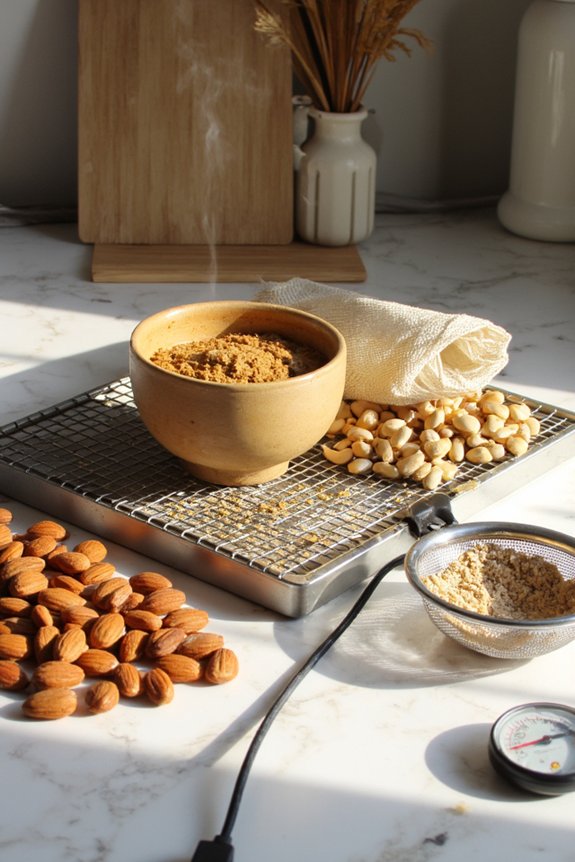
You’ll want to stick to a regular cleaning schedule—think of it like brushing your teeth, except way more delicious and markedly less minty—because built-up residue is basically an open invitation for your machine to throw a heat tantrum. Managing the thermal load by giving your nut butter maker proper breaks between batches, not cranking it to maximum speed right out of the gate, and ensuring good airflow around the unit will keep things running smoother than, well, nut butter.
Regular Cleaning Schedule
Consistently cleaning your nut butter maker isn’t just about keeping it looking pretty—it’s genuinely one of the most effective ways to prevent overheating problems down the road. Think of it like brushing your teeth. Daily wipe downs after each use take just two minutes, and they’re your first line of defense against buildup that’ll make your motor work harder than it needs to. Here’s the thing: nut butter residue gets sticky, hardens, and basically turns into friction’s best friend. Schedule deep cleans weekly, where you actually disassemble the removable parts and get into those nooks and crannies. Your motor’ll thank you with years of smooth, cool operation instead of angry, overheated protests. Plus, you’ll avoid that burnt smell nobody’s thrilled about.
Thermal Load Management
Beyond just keeping things clean, managing the thermal load on your nut butter maker is like being a responsible parent—you’ve gotta think ahead and make smart choices today so you don’t pay for it tomorrow. Don’t run batches back-to-back without giving your machine breathing room. Space out your nut grinding sessions, letting the motor cool between uses. This prevents thermal throttling, where your machine basically hits the brakes to protect itself.
Load balancing matters too. Don’t cram the chamber full expecting miracles. Work with reasonable portions instead. You’re not trying to break world records here, just make delicious butter without burning out your equipment. Your motor will thank you, and you’ll enjoy years of smooth, creamy results without drama or frustration.
Frequently Asked Questions
Can I Use My Nut Butter Maker Immediately After It Shuts Down From Overheating?
No, you shouldn’t use it immediately. You’ll need to wait 10min for the motor to cool down completely. After that, try gradual restarts with shorter processing times to prevent overheating again.
What’s the Warranty Coverage if My Motor Overheats Due to Manufacturing Defects?
Your manufacturer warranty typically covers motor overheating from defects, protecting you through defect coverage. You’ll want to check your specific policy’s terms, timeframes, and claim procedures for full protection details.
Are Certain Nut Types More Likely to Cause Motor Overheating Than Others?
Yes, you’re more likely to experience overheating with high oil content nuts like macadamia or pine nuts. Their natural oils create friction during grinding, forcing your motor to work harder. Coarser grind sizes also increase strain.
How Much Does It Cost to Repair or Replace an Overheated Motor?
You’ll typically spend $150–$400 for motor replacement cost, depending on your model. Labor estimates usually range from $75–$150 per hour, so total repair costs could reach $300–$550 including parts and service fees.
Can I Add Cooling Fans or Liquid Cooling Systems to My Machine?
You can add external fans to your nut butter maker, though liquid cooling isn’t practical for this application. Consider installing external fans within custom enclosures to improve airflow and prevent motor overheating effectively.
Conclusion
You’ve got this! Think of your nut butter maker’s motor like an athlete pushing too hard without rest—it’ll burn out fast. By keeping batches smaller, letting it breathe between rounds, and staying on top of maintenance, you’re basically giving your machine permission to keep churning smoothly for years. Small tweaks now? They’ll save you from a complete meltdown later. Your nut butter dreams don’t have to go up in smoke.